
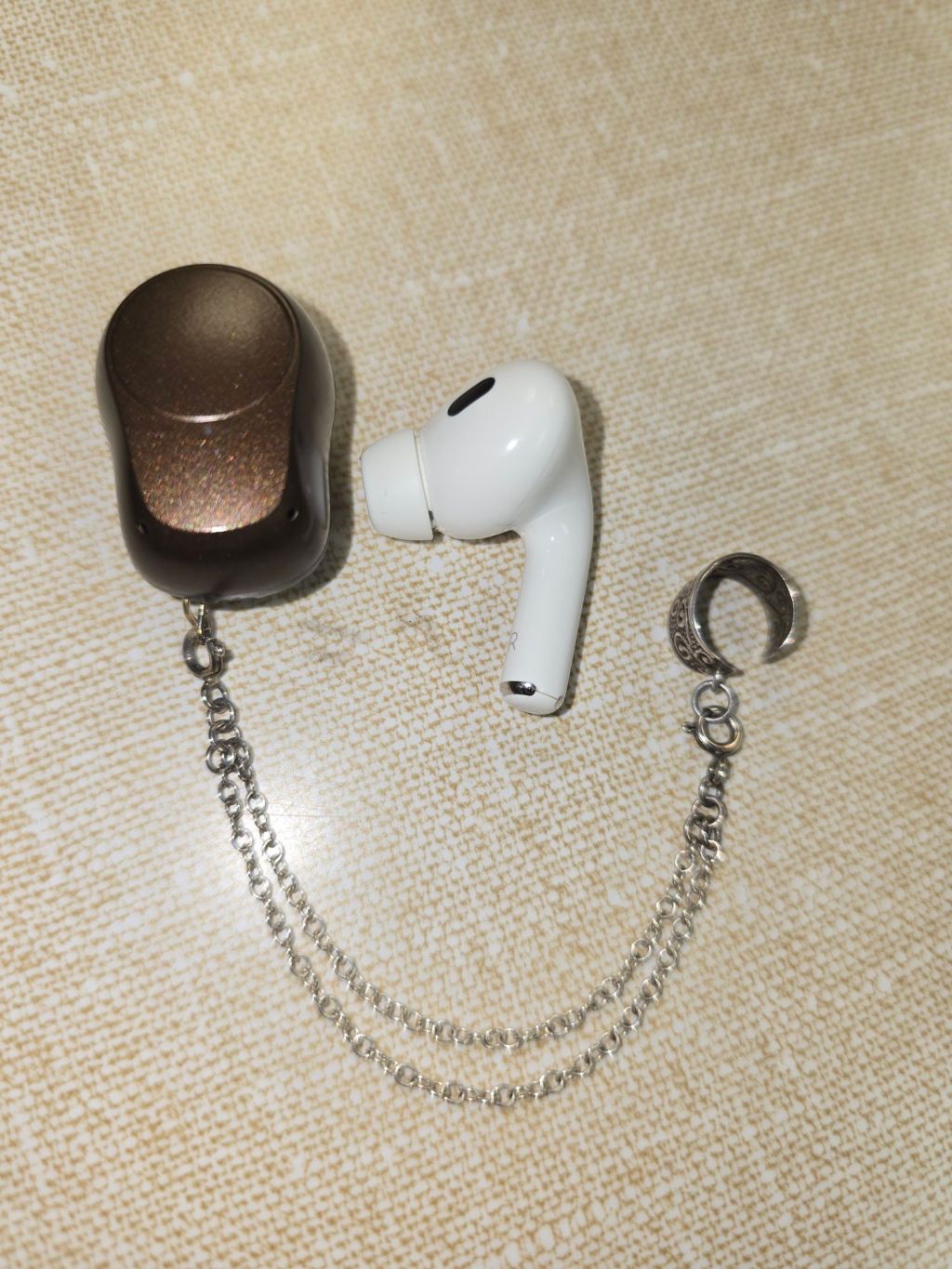
Relying on technology to assist with hearing can take a lot of patience and creativity for success. Because I frequent single sided hearing loss circles, I often see people asking how to stream music or other audio to both a hearing device and a headphone at the same time. I had learned that the new Auracast Bluetooth was going to be a solution for streaming to 2 different devices at the same time. However, my hearing device does not yet have Auracast (and that is a very typical experience at the moment). I had a recent audiology appointment and my audiologist taught me that I had another option to stream to my hearing device and an ear bud at the same time.
I am an Android user and I have a Samsung phone. If you have a different type of device this will work differently for you (or possibly not at all). I would Google search to see if your device has an option. But I was excited to learn that I could stream to my hearing device and an ear bud. However, I did discover that because my hearing device does not stream directly from my phone and instead has an intermediary device that communicates with both the phone and the bone anchored hearing device, there is a small time delay that does not match the timing of my ear bud. So I won’t currently be streaming to both an ear bud and my device as they are not in sync. I am hopeful that later hearing device models will stream directly (it already does for Apple Phones) and this may mean that this method is useful to me. I would recommend trying it and seeing if your devices do work for it, because it is a pretty cool option.
Step 1 is to make sure that both the ear buds and the hearing device are paired with your phone’s Bluetooth.
Step 2 swipe down from the top of the screen to open your Quick Panel.
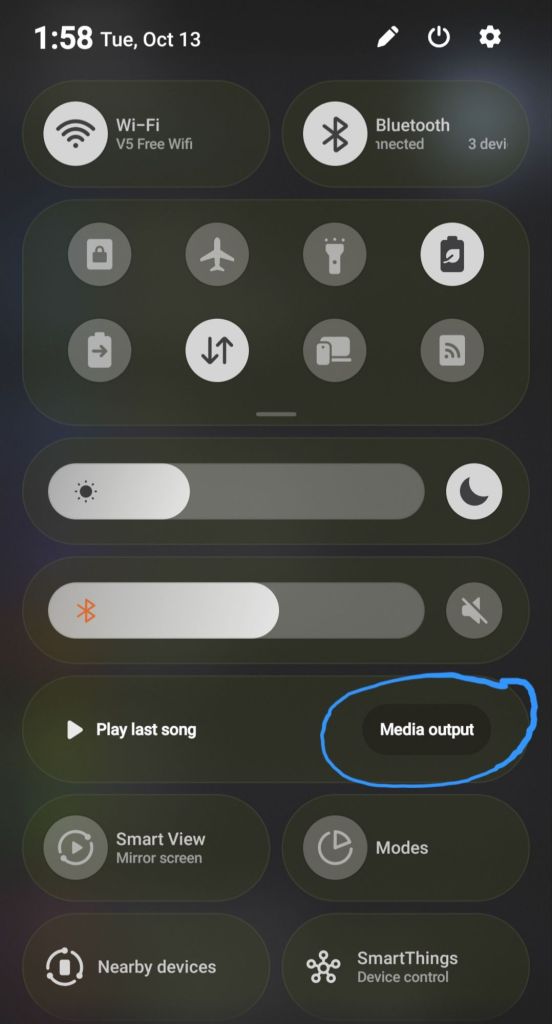
Step 3 is to tap media output, which I circled in the image above.
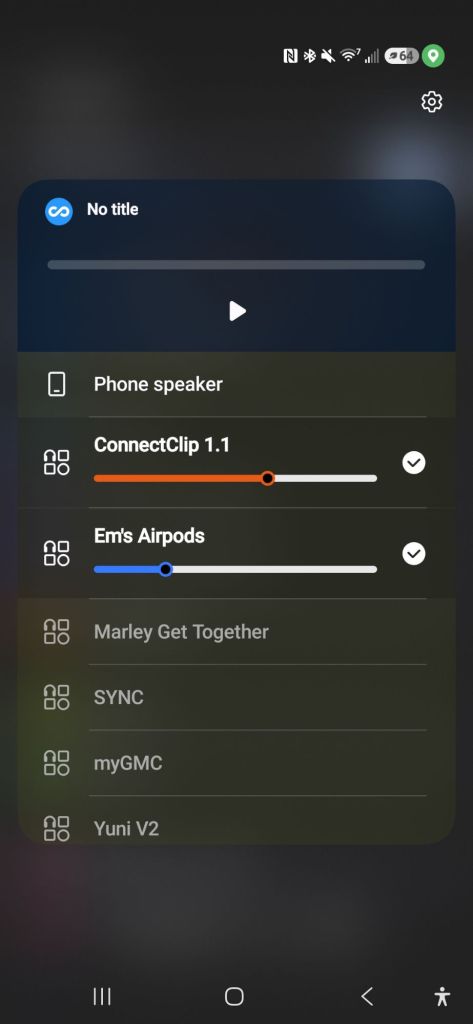
Step 4 select both devices that you want to stream to. In the image below you can see my AirPods are selected as well as the ConnectClip (the ConnectClip is the intermediary device I connect my phone to in order to stream to my hearing device).
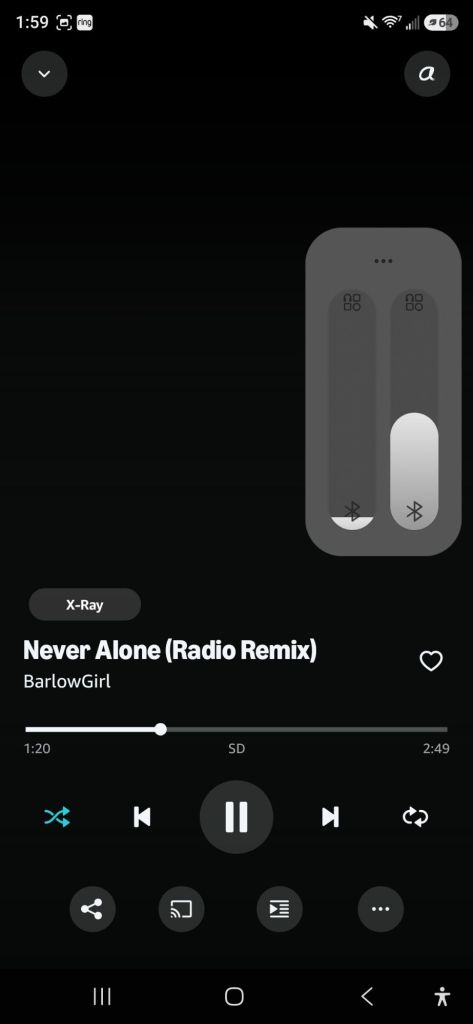
Step 5 is to start playing whatever you wish to listen to and then adjust the volume. If you adjust the volume up or down using the physical buttons on the phone both audio outputs will correspondingly move up or down. You can use your finger on the touch screen volume bar to move just one or the other volume up and down to get it to the right volume for each device.
That’s all there is to it. I would honestly be curious to hear from other device users how their experience is with the timing and if they like it. It could be really useful with some devices- even though it doesn’t work for timing with my Oticon Ponto. In general, I just get so excited about how the tech is progressing to make life with hearing loss better.


Leave a Reply