
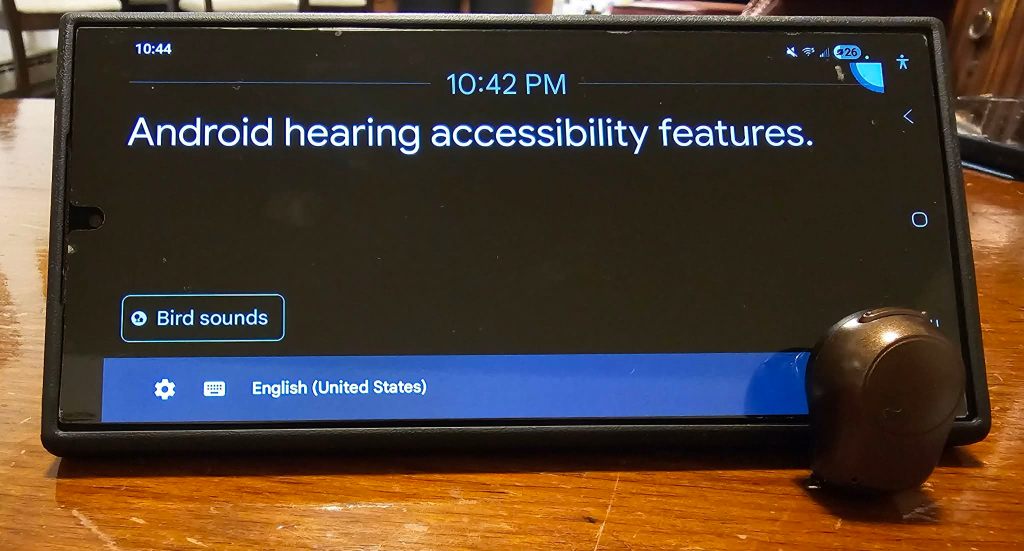
While it is frequently true that accomodations are missing in the world to make things accessible for people with hearing loss, I have also found that often people with hearing loss are unaware of existing resources to help them. There are a lot of cool tools built right into an Android device to improve the experience for people with hearing loss. I want to showcase several of these and make people aware they exist.
To find these features, start by going to your Android phone’s Settings. Scroll down and tap Accessibility. Next click Hearing Enhancements. I really recommend tapping around each item to read what they are and try them, but I am going to give a quick summary of what it does and how I incorporate it into my life (if I do use it).
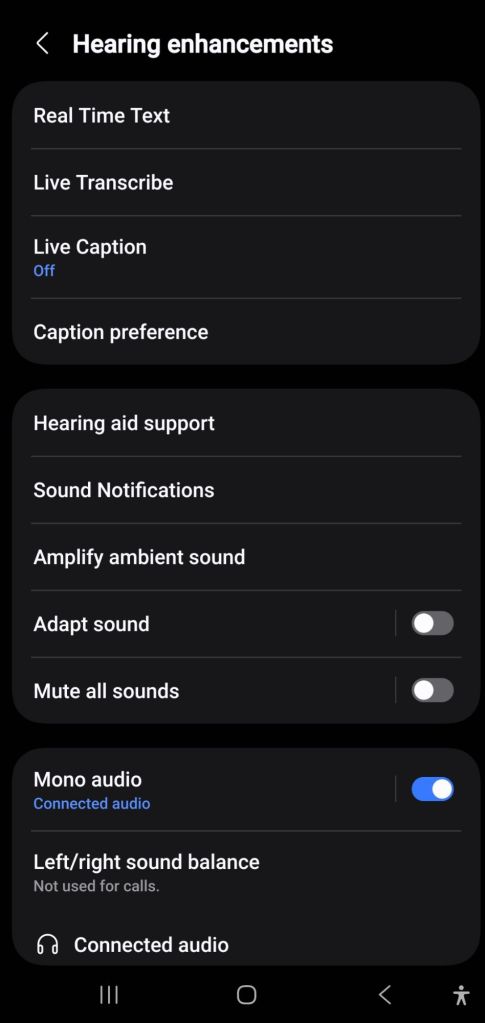
- Real Time Text. This takes a voice phone call and turns it into text as someone is talking. There are also apps for this. I don’t use this as my hearing in my right ear is normal so I can typically hear well in regular phone call situations.
- Live Transcribe. When turned on, this uses your phone’s microphone to listen to the world around you and caption everything the microphone picks up. I use this on a regular basis. One of my favorite applications is at a convention hall where the sound bounces like crazy. If you use it often, you can set it up to be on the button bar on the base of your screen with an accessibility button- this is turned on in Advanced Settings under Accessibility.
- Live Caption. This detects any speech being played through media on your device and captions it. For example, if you are watching a video of someone speaking on YouTube it will caption the video. I tried having this on but found it obnoxious to have turned on continuously as it put captions on videos already captioned and in ways that made it all unreadable. It is useful though to turn on for a rare occasion of consuming media without captions. It cannot caption music.
- Hearing Aid Support. This seems like it could be really useful for adapting your phone to optimize to your hearing aid settings. Unfortunately, my hearing device only pairs directly with Apple products so I can’t take advantage of this.
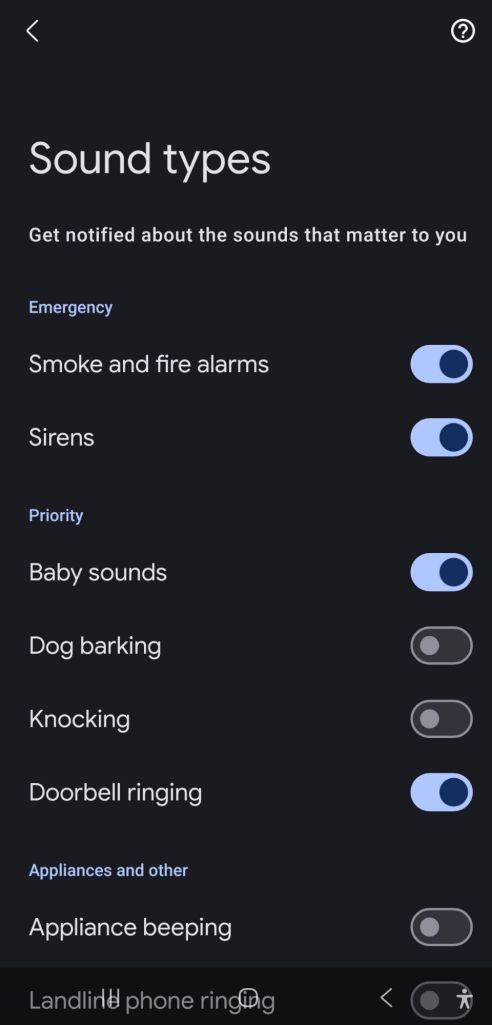
- Sound Notifications. This is my favorite feature. It allows your phone microphone to listen for sounds that you program it to listen for and then it alerts you. Examples of sounds it can notify you for include baby crying, dog barking, doorbell ringing, smoke alarm, water running, etc. I use this for when I sleep alone for my phone to listen for the smoke alarm. I slept through a false alarm once and I felt pretty scared to sleep alone till I found this option. I have it vibrate my smart watch I wear when I sleep- which is also my wake up alarm.
- Amplify Ambient Sound. This is used with headphones and can help with focusing on conversations even when you are somewhere noise. This is on my short list to test drive.
- Adapt Sound. This is only useful for headphone users. It gives you the opportunity to take a hearing test and create a personalized sound profile. I have not tried this.
- Mono Audio. This setting is really important for my life as I am deaf in one ear. Turning on mono audio means that I never miss half of the music because some instruments are sent to the right ear and some to the left. I heard a story from a life-long single sided deaf person who said they had always missed parts of Queen music because they never knew to set their devices to mono.
- Record Calls. (Found in call settings) This can be used to record calls and also transcribe them. I have a call recording feature that I use through work but this seems like it could be really useful.
- Call Captions. (Found in call settings) This can be used to show captions of what each person is saying during the call. It sounds somewhat similar to Real Time Text, I have not experimented with it yet.
These are some really great built in tools in an Android phone. Keep in mind that having some of these on all the time can impact your phone’s battery life. I find several of these tools to be extremely helpful in my day to day life. I am so grateful to have such a powerful accessibility tool right in my pocket. I am sometimes amazed how many hearing tools have come out in recent years. I am excited for more things coming soon- like Auracast.

Further reading: https://www.android.com/accessibility/audio/ https://support.google.com/accessibility/android/answer/9350862?visit_id=639161390639662498-1312537069&p=android_live_caption&rd=1


Leave a Reply